Standalone 3D Secure (via OrchestratorX)
Standalone 3DS separates authentication from authorization, giving you the flexibility to work with multiple payment processors or support specialized payment workflows.
Enterprise teams often adopt Standalone 3DS to enhance payment performance by enabling:
- Fine grained API control over 3DS requests and the checkout experience
- Greater visibility into issuer authentication responses
- Transaction level customization based on business priorities such as fraud reduction, conversion optimization, or cost management
When a Standalone 3DS authentication completes successfully, it generates a 3DS cryptogram. This cryptogram can then be submitted as part of the payment authorization. This is effective in Smart Retry workflows where the same authentication can be successfully used with multiple authorization attempts across different payment providers (PSP).
Supported external 3DS authenticators are: OrchestratorX 3DS server, Netcetera, Cardinal and 3dsecure.io.
Setup External 3DS authentication via OrchestratorX
- Log into the OrchestratorX dashboard.
- Under Connectors > setup 3DS Authenticator. You can select OrchestratorX 3DS server or any other external 3DS server.
-e56017d9d0dc012874d2153a90385a23.png)
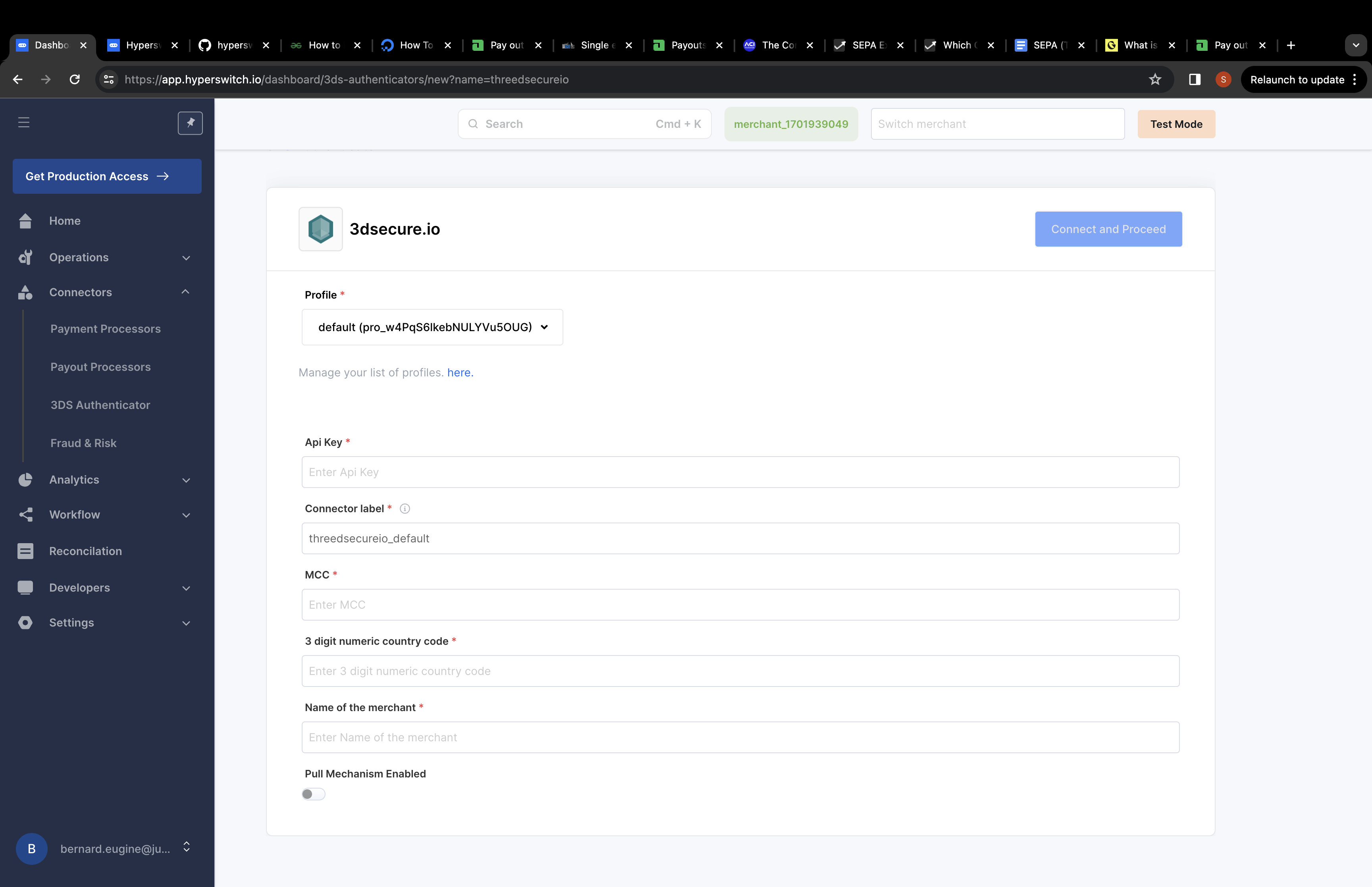
Add credentials for 3DS authenticator
- Under Connectors > setup the payment providers (PSP) that you wish to use for payment processing.
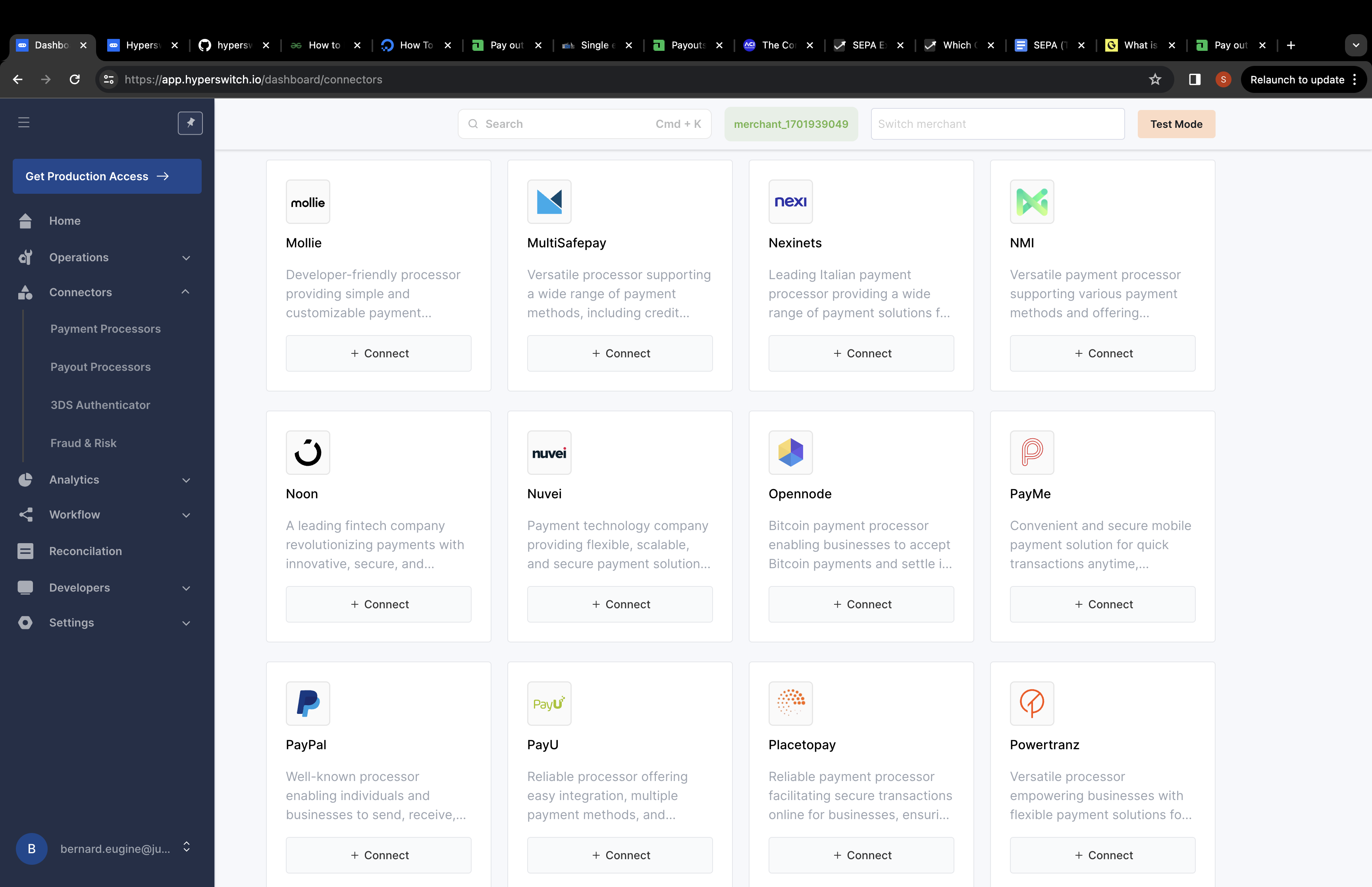
Add new payment processors
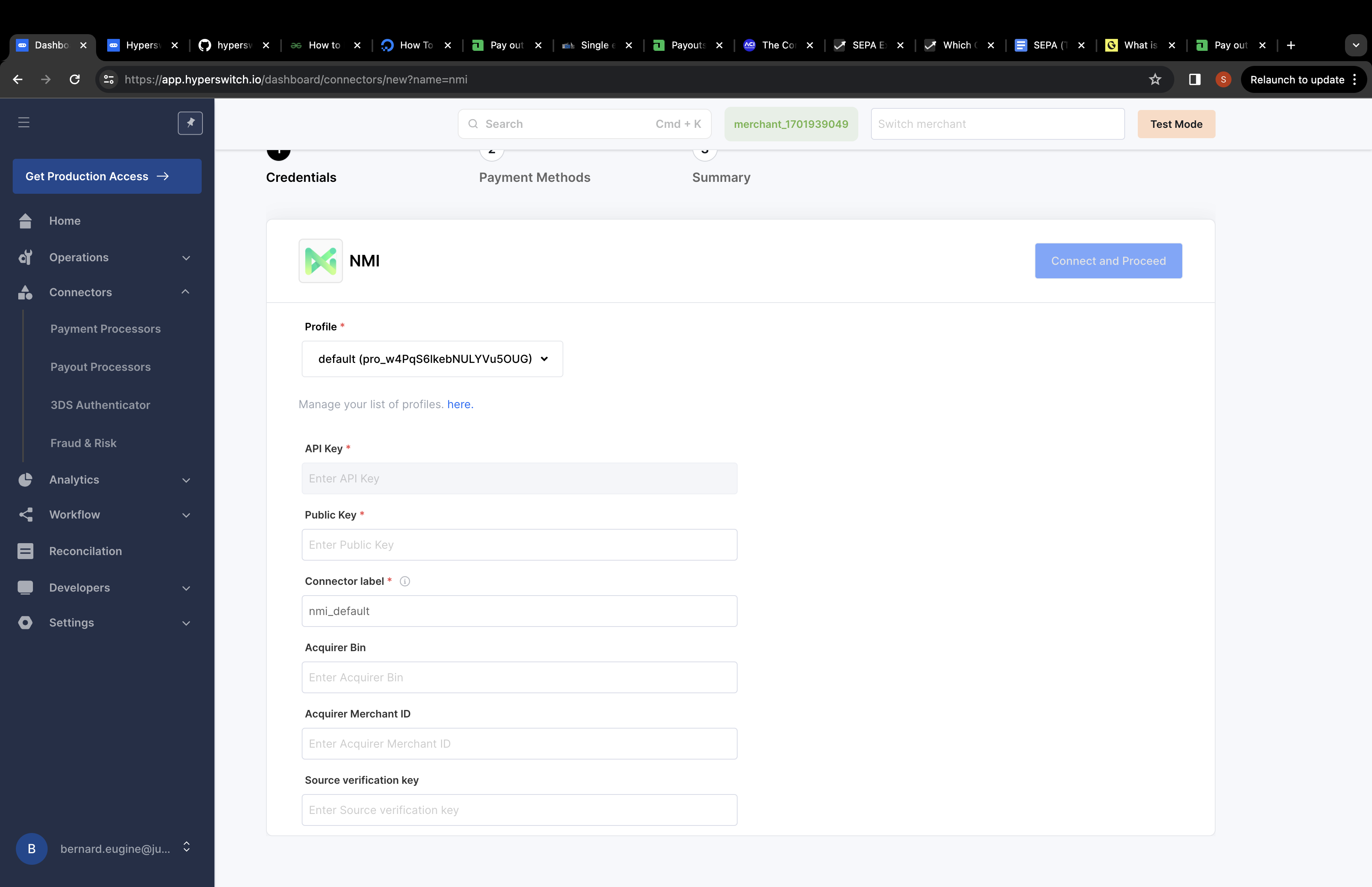
Add credentials for payment processor
- Under Developers -> Payment Settings -> Add Authentication Connector and its relevant details.
-9b5f2b2b206453ee1174ffb31a1db87c.png)
Perform external authentication
Initiate a Payments Create API from your server with external authentication as true:
// Set external authentication type in the Payments call
 "request_external_three_ds_authentication": "true"
This flow follows the same steps as highlighted in authenticate with 3D secure via PSP.
Do a create payment call to initiate the transaction. The status of the response should be requires_customer_action and should contain the next_action object.
curl --location 'https://api.orchestratorx.com/payments' \
--header 'Content-Type: application/json' \
--header 'Accept: application/json' \
--header 'api-key: {{api_key}}' \
--data-raw '{
    "amount": 2540,
    "currency": "USD",
    "confirm": true,
    "amount_to_capture": 2540,
    "capture_method": "automatic",
    "capture_on": "2022-09-10T10:11:12Z",
    "customer_id": "StripeCustomer",
    "email": "[email protected]",
    "name": "John Doe",
    "phone": "999999999",
    "request_external_three_ds_authentication": true,
    "phone_country_code": "+65",
    "description": "Its my first payment request",
    "authentication_type": "three_ds",
    "return_url": "https://google.com",
    "setup_future_usage": "on_session",
    "browser_info": {
        "user_agent": "Mozilla/5.0 (Windows NT 10.0; Win64; x64) AppleWebKit/537.36 (KHTML, like Gecko) Chrome/70.0.3538.110 Safari/537.36",
        "accept_header": "text/html,application/xhtml+xml,application/xml;q=0.9,image/webp,image/apng,*/*;q=0.8",
        "language": "nl-NL",
        "color_depth": 24,
        "screen_height": 723,
        "screen_width": 1536,
        "time_zone": 0,
        "java_enabled": true,
        "java_script_enabled": true,
        "ip_address": "127.0.0.1"
    },
    "shipping": {
        "address": {
            "line1": "1467",
            "line2": "Harrison Street",
            "line3": "Harrison Street",
            "city": "San Fransico",
            "state": "California",
            "zip": "94122",
            "country": "US",
            "first_name": "John",
            "last_name": "Doe"
        }
    },
    "routing": {
        "type": "single",
        "data": "nmi"
    },
    "statement_descriptor_name": "joseph",
    "statement_descriptor_suffix": "JS",
    "metadata": {
        "udf1": "value1",
        "new_customer": "true",
        "login_date": "2019-09-10T10:11:12Z"
    },
    "payment_method": "card",
    "payment_method_type": "credit",
    "payment_method_data": {
        "card": {
            "card_number": "4000000000002370",
            "card_exp_month": "08",
            "card_exp_year": "25",
            "card_holder_name": "joseph Doe",
            "card_cvc": "999"
        }
    },
    "billing": {
        "address": {
            "line1": "1467",
            "line2": "Harrison Street",
            "line3": "Harrison Street",
            "city": "San Fransico",
            "state": "California",
            "zip": "94122",
            "country": "US",
            "first_name": "John",
            "last_name": "Doe"
        }
    }
}'
Do authentication
Initiate the authentication with the client_secret generated:
curl --location 'https://api.orchestratorx.com/payments/pay_xXr8btC2depRWfVYKmNt/3ds/authentication' \
--header 'Content-Type: application/json' \
--header 'Accept: application/json' \
--header 'api-key: {{api_key}}' \
--data '{
    "client_secret": "{{client_secret}}",
    "device_channel": "BRW",
    "threeds_method_comp_ind": "Y"
}'
After the challenge is completed, the status should go to succeeded status.